Read the Parts of a URL Before Changing Anything
A normal webpage address can contain a scheme, hostname, path, query string, and fragment. For example:
https://example.com/shoes/?color=blue&utm_source=email#reviews
Here, https identifies the scheme, example.com is the hostname, and /shoes/ is the path. The question mark introduces the query string. An ampersand separates its parameters: color=blue and utm_source=email. The fragment #reviews identifies a location within the page or a client-side state, depending on the website.
A query string is not automatically junk. Its meaning depends on the website’s code and the purpose of the link. Removing everything after the question mark could turn a filtered product listing into an unfiltered one. It may also invalidate a specially generated access or checkout link.
Know Which Parameters Usually Track Visits
Marketing platforms frequently append identifiers that describe a campaign, creative, or ad click. These are reasonable candidates for removal when creating a neutral link for an ordinary share, but they should not be stripped from a campaign link that still needs attribution.
Names are clues, not guarantees. One website may use ref for marketing while another uses it to select content. A parameter that is normally associated with tracking can still affect an application’s behavior. The appropriate removal policy must account for the destination website and the reason the link was created.
See What Changes in a Cleaned URL
Suppose you copy this example address from a newsletter:
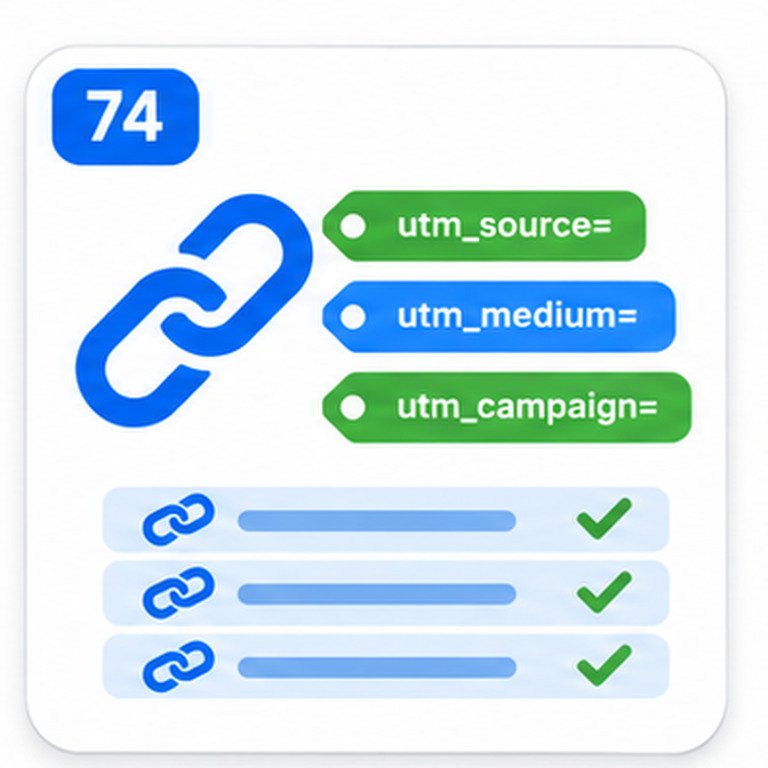
https://example.com/guides/seo/?utm_source=newsletter&utm_medium=email&utm_campaign=october#checklist
For an ordinary share where attribution is not required, the intended cleaned result might be:
https://example.com/guides/seo/#checklist
The path and fragment remain, while the three UTM fields are removed. This is an illustrative transformation, not an independently verified output from the SEOToolCheckers plugin. Confirm the tool’s actual output and open the cleaned address before distributing it.
Contrast that with https://example.com/store/?category=shoes&page=3&utm_source=email. Removing only the campaign field retains the intended category and page. Deleting the entire query string would not. The shortest address is not necessarily the correct address.
A Safe Workflow for Cleaning a Link
- Start with the complete address. Prefer a URL that includes the scheme and hostname rather than an incomplete fragment of a link.
- Identify the destination’s purpose. Decide whether it is an article, search, product variant, campaign, account link, or temporary download.
- Check the available removal behavior. Determine whether the cleaner removes known tracking names, all parameters, or user-selected names; do not assume these modes are interchangeable.
- Compare original and cleaned addresses. Confirm the hostname, path, necessary query values, and useful fragment are retained.
- Open the cleaned URL. Test the result in a normal browser, particularly for filtered listings, logins, and product variants.
- Use the appropriate link for the job. Keep the original tagged link for campaign distribution and use the clean version for a neutral reference where suitable.
Do not submit private invitation URLs, password-reset links, payment links, signed downloads, or session-bearing addresses to an online utility unless you understand how it handles data. A short token in a query string can be sensitive even when the rest of the URL looks ordinary.
Keep UTM Tags When Campaign Attribution Matters
UTM tags are designed to tell analytics systems which campaign, source, or medium generated a visit. A link prepared by a marketing team might need utm_source, utm_medium, and utm_campaign intact. Cleaning those fields before publishing an email button or advertising link can remove information the campaign relies on.
For example, a social post intended to measure a launch campaign should normally use the approved tagged URL. A clean copy pasted into an internal documentation page may serve a different purpose. The UTM Link Builder with Bulk Mode supports preparing tagged campaign URLs, and the Campaign URL Validator is a complementary workflow for checking their structure. These tasks are different from removing parameters for sharing.
Advertising click identifiers may also be used by measurement and attribution systems. Do not automatically strip gclid or other click IDs from live advertising destinations, intermediate redirects, or analytics pipelines. The implications depend on how the campaign and destination tracking are configured.
How Query Parameters Relate to SEO and Canonical URLs
Search engines can discover multiple URLs that differ only in their parameters. Some variations show the same underlying document; others show a different product selection, search result, or paginated view. A cleaner may help an editor make tidy links, but cleaning a copied URL does not configure search-engine indexing or tell Google which version to treat as canonical.
For duplicate or near-duplicate URLs, use a coherent canonical strategy, appropriate internal links, and suitable handling of filters. A canonical tag is a signal, not a guaranteed instruction. The Canonical Tag Checker is relevant when evaluating the preferred address exposed by a webpage.
Do not make the blanket assumption that every filtered URL should point to the unfiltered page. Some filter combinations form useful landing pages, and others create enormous crawlable URL spaces. Decisions about faceted navigation need to consider the website’s content, crawling, and indexing goals, not just how many parameters a link contains.
Watch for Encoding, Repeated Keys, and Fragments
Query parameter values are encoded so characters can travel safely in a URL. A space may appear as %20 or as + in form-style query encoding. The sequence %26 represents an ampersand character within a value, not a separator between parameters. Careless string splitting can therefore break valid links.
A URL can also contain repeated parameter names, such as ?tag=seo&tag=wordpress. Some applications interpret both values, while others choose one. Do not collapse repeated values without knowing what the site expects. Browser URL parsing and serialization may alter the exact encoding even when the decoded values remain the same. For studying encoding rather than removing tracking fields, use the URL Encoder and Decoder.
Fragments beginning with # are distinct from query parameters. They are not included in normal HTTP requests to the server, although client-side applications may use them for navigation. Preserve a meaningful fragment such as #installation when it helps readers land in the intended section.
Why a Cleaned Link Can Still Redirect or Fail
Removing query parameters does not establish whether the target loads, returns a 404, or redirects elsewhere. Websites can redirect parameterized addresses to a preferred URL, and certain links require query data to authorize access or select content. A cleaner transforms an address; it is not automatically a live HTTP status checker.
After cleaning an important URL, compare the resulting page with the original. If you need to investigate live HTTP responses and redirect chains, use the Bulk HTTP Status and Redirect Checker. For batches of links that you want to review in a browser, the Bulk URL Opener serves a different purpose. Neither workflow should be confused with changing a site’s actual redirect or canonical configuration.
Use Clean URLs Consistently in WordPress Content
When updating a WordPress article, replace unnecessarily tagged internal hyperlinks with the intended permanent page URL. This can make site navigation easier to maintain, especially when multiple editors copy links from newsletters or social posts. Check menus, reusable patterns, comparison tables, and older articles for similar references, but do not indiscriminately rewrite URLs used by filters or search forms.
Use descriptive anchor text and verify that the destination actually matches the surrounding sentence. An Internal Links and Anchor Text Analyzer helps with the separate task of reviewing how pages connect and how links are labeled. Clean URLs contribute to clearer editing, but link relevance and accessible navigation still matter.
Questions to Ask Before Removing a Parameter
Is a query parameter always a tracker? No. It may specify a search term, selected variant, page number, language, or authenticated action.
Will a shorter URL rank better? Not merely because it is shorter. A clean link can improve readability and consistency, but SEO outcomes depend on content, site architecture, canonical handling, crawling, and many other factors.
Should UTM parameters be removed from marketing links? Usually not while the campaign depends on them for attribution. Clean a copy for a different use rather than altering the campaign’s approved destination.
Can parameter cleaning remove a redirect? Not necessarily. A redirect is server or application behavior that must be checked separately.
Bottom line: remove a parameter only after you understand what it does. Preserve functional URL state, keep campaign attribution when needed, and test the cleaned link rather than judging it by appearance alone.