Start With the Page’s Purpose, Not a List of Keywords
Ask what one visitor hopes to accomplish on the specific URL. Someone opening a product page expects model details, availability and meaningful specifications. Someone opening a tutorial expects an explanation or a process they can follow. Your title and description should make that distinction obvious. A generic claim such as “Best Quality Products Online” gives little context even if it fits a character counter.
Write a working title that identifies the subject first. Add a useful qualifier, such as the product type, learning outcome or business location, when it genuinely distinguishes the page. Keep the wording natural. Search engines can use headings and visible page content when generating title links, so the main heading and title should not contradict each other.
Make the Meta Description a Real Summary
A useful description tells readers what they will find, not just why your business is excellent. Lead with the subject, include a meaningful benefit or key detail, and make sure the page actually delivers what you describe. Descriptions should differ across important URLs. If two pages serve different audiences, their descriptions should explain that difference instead of using the same template verbatim.
SEO plugins often display suggested character ranges, but Google does not impose a universal 155- or 160-character limit. Search-result snippets depend on the query and available display space; Google may also select text from the page instead of the supplied meta description. Use length indicators as editorial guidance, not a pass-or-fail ranking requirement.
Understand Which HTML Elements You Are Generating
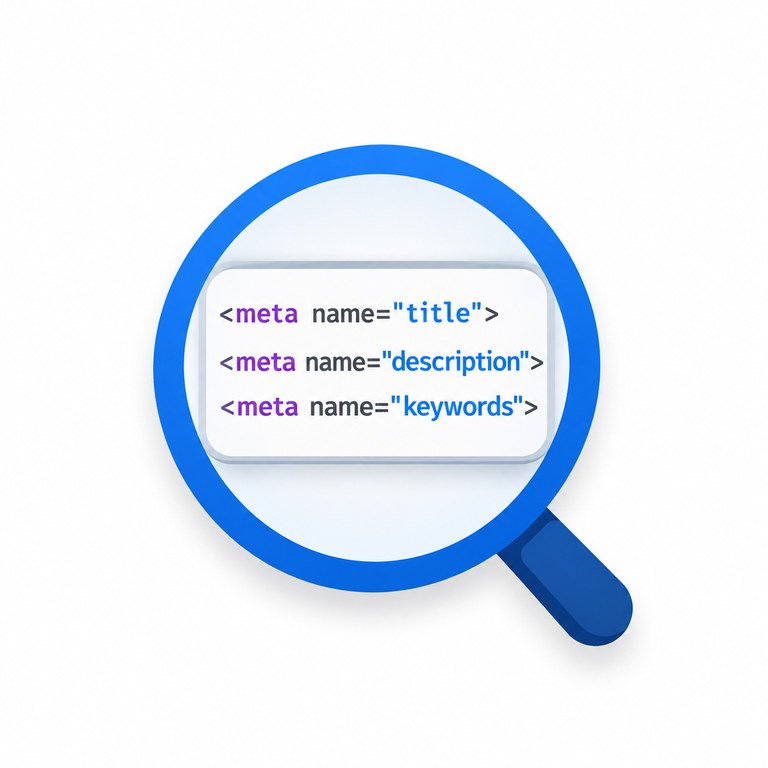
People often call the entire group “meta tags,” although a document title is a <title> element and a canonical declaration is a <link> element. This distinction matters when reviewing source code or troubleshooting duplicate output.
Only select declarations your page actually needs. An SEO plugin or existing template may already manage several of them. For related issues, the Canonical Tag Checker and Website Indexability Checker provide complementary workflows where their current interfaces support those checks.
Read a Simple Generated HTML Example
Imagine an instructional page about keeping a home herb garden. The following illustrates a small, coherent metadata set for a hypothetical URL. It is example source code, not markup to paste into this article. Replace the content and address with your own accurate details before use.
<meta charset="UTF-8">
<meta name="viewport" content="width=device-width, initial-scale=1">
<title>How to Grow Basil Indoors in Small Pots</title>
<meta name="description" content="Learn how to grow basil indoors, including pot size, light, watering and harvesting tips for a healthy kitchen herb plant.">
<link rel="canonical" href="https://example.com/grow-basil-indoors/">
Treat Robots Directives as High-Impact Settings
If the generator exposes robots controls, pause before selecting restrictive options. Normal public pages generally do not need an explicit index, follow tag because those are the defaults in Google when no restrictions apply. A noindex directive asks supporting search engines to exclude the URL from their results, while nofollow affects link-following behavior. Neither directive improves rankings simply by being present.
A common mistake is to add noindex to a page that should appear in search. Another is to block that URL in robots.txt while expecting Google to read its noindex tag. Crawlers generally need to access a document to see page-level robots instructions. If you need control over a section of the site, first distinguish crawl restrictions from indexing restrictions. Use the Robots.txt Generator and Tester as an adjacent workflow, after confirming its live behavior.
Do not add obsolete “revisit-after” tags or a meta keywords list in the belief that they make Google crawl more frequently or rank a page higher. The important work is creating useful content, correct markup and a page that is technically accessible.
Install Tags in the Document Head, Not the Article Body
On a hand-coded website, document metadata is ordinarily maintained inside the HTML <head>, before the visible <body>. A typical workflow is to prepare the values, copy the applicable markup into the template’s head region, publish the update and inspect the delivered source. Be careful with characters such as quotation marks and ampersands in attribute values; malformed markup can change how a browser interprets the declaration.
On WordPress, Rank Math or another active SEO plugin usually controls titles, descriptions, robots directives and canonical output. Enter the title and description in that plugin’s page-level fields instead of pasting an entire generated <head> block into a post’s Custom HTML block. The post body is for reader-facing content; adding head-oriented tags there can produce invalid or duplicate markup.
Check whether a theme, plugin or custom code already outputs a second title, description or canonical. Two systems generating inconsistent metadata are more confusing than one system with a missing optional field. After publishing, use the Meta Tags Analyzer workflow to inspect the result, subject to the tool’s verified capabilities.
Separate Search Metadata From Social Preview Data
Search results and social sharing cards are related but not identical. Platforms may read Open Graph properties such as og:title, og:description and og:image, while X may use dedicated card metadata. Some generators include these options; others produce only basic page tags. Check the actual fields before assuming a social or canonical feature exists.
The Open Graph and Social Share Preview workflow is a useful next step for inspecting the intended appearance, if that tool is available on your site.
Verify the Published Result Before Calling It Finished
- Open the final page and confirm that the title, main heading and body all describe the same intent.
- Inspect the public source for one intended title and description, plus any necessary canonical and robots declarations.
- Check the preferred URL and HTTP status. A redirect or
noindex rule can undermine an otherwise well-written page.
- Review mobile presentation and a search snippet estimate with the Google Search Snippet Preview workflow.
- After indexing, compare the expected metadata with what Google actually displays. Search appearance can vary by query, device and time.
A generator creates markup; it does not audit live response headers, resolve canonical conflicts or confirm that Google has indexed a URL. Even structurally valid tags cannot compensate for inaccessible pages or thin content. If a title or snippet appears differently from the markup, investigate the visible page text and Google’s interpretation before editing repeatedly.
Common Questions About Meta Tag Generation
Can I use the same description on every page?
It is better to write distinct descriptions for important URLs. Product pages, categories and tutorials answer different questions, and duplicated boilerplate does not make those differences clear.
Why does Google show a different title or description?
Google can build title links and snippets from other page signals when they better match a search. A preview is an approximation rather than an exact commitment.
Should I add every optional tag a generator offers?
No. Prefer the few declarations that serve a real purpose and are not already created by your theme or SEO plugin. Verify unfamiliar directives before publishing them.