Google Chose a Different Canonical: What the Report Actually Means
What Does “Google Chose a Different Canonical Than User” Mean?
Google found the inspected URL but chose another page as the representative version of its content, despite the canonical preference you declared. In Google Search Console, the “User-declared canonical” is the URL your website recommends; the “Google-selected canonical” is Google’s own choice. The mismatch can be normal for duplicate URLs. It deserves investigation when the selected page is unrelated, outdated, or prevents a genuinely distinct page from being indexed.
Read the Canonical Report Before You Try to Fix It
A canonical mismatch can look alarming in Google Search Console. You may see a page labeled “Duplicate, Google chose different canonical than user” even though it loads correctly, has a self-referencing canonical tag, and appears in your XML sitemap. That does not automatically mean your SEO plugin is broken. Google is deciding which URL best represents content it considers duplicated or substantially similar.
The question is not simply “Why didn’t Google obey my tag?” It is “Does Google’s selected URL make sense for users and for the content?” An email-tracking URL pointing to the clean article URL is usually fine. A unique tutorial being grouped with an unrelated category page is not. Start by recording the two canonical values, then compare the pages rather than changing settings at random. You can examine a page’s declared preference with the Canonical Tag Checker, while Search Console remains the source for Google’s recorded selection.
1. Understand the Three URLs You Are Comparing
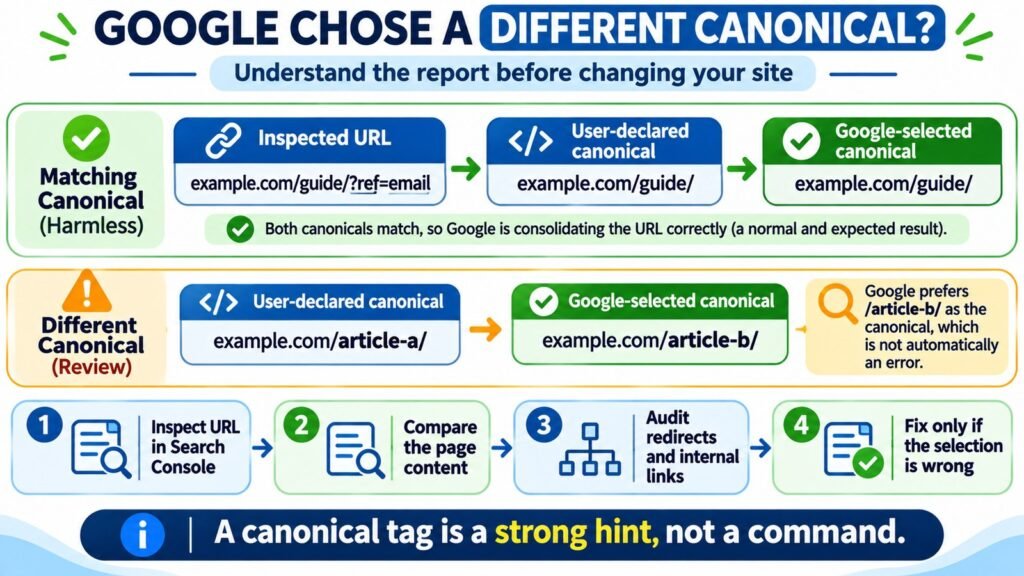
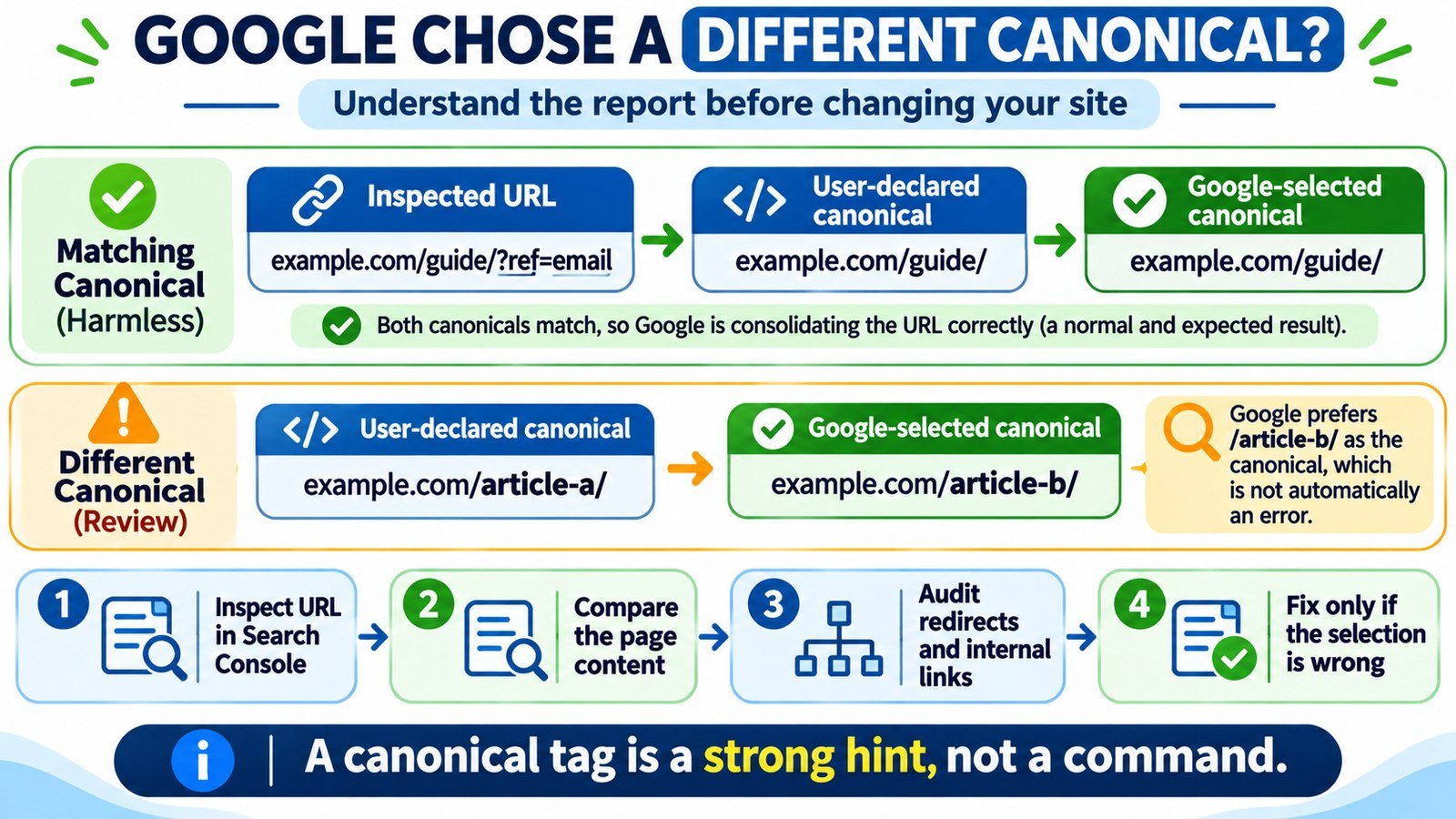
A useful diagnosis keeps three addresses separate: the inspected URL (the address producing the report), the user-declared canonical (the page’s preferred representative), and the Google-selected canonical (Google’s selected representative). These can all be different. Neither the status label nor a self-referencing tag alone tells you whether Google made a harmful choice.
| Value | What it tells you | Where to verify it |
|---|---|---|
| Inspected URL | The specific address you asked Search Console about | URL Inspection input and full page URL |
| User-declared canonical | The preferred URL indicated through the page or other canonical signals | Indexed URL Inspection data; compare current HTML separately |
| Google-selected canonical | The URL Google selected to represent the duplicate cluster | Indexed URL Inspection data under Page indexing |
For example, you inspect https://example.com/guide/?ref=email. The declared and selected canonical are both https://example.com/guide/. That is a typical, desirable outcome: the parameter URL does not need its own search listing. The report that specifically says Google chose a different canonical applies when the declared and selected values disagree.
2. Find Google’s Selected Canonical in Search Console
- Open the correct Google Search Console property and select URL Inspection.
- Enter the exact full address listed in the Page indexing report, including its scheme, host, path, and query string.
- In the indexed result, expand Page indexing and record both User-declared canonical and Google-selected canonical.
- Open the Google-selected destination and confirm what the page actually contains. Inspect that destination separately when you have access.
- Check the last crawl and crawlability details, then compare them with what the site serves today.
Do not use “Test live URL” as proof of the selected canonical. The live test can confirm current accessibility and show rendered content, but it cannot predict Google’s canonical decision. The selected canonical is reported from Google’s indexed information and may reflect an earlier crawl. If you just changed the site, this timing difference matters.
3. Decide Whether the Different Canonical Is Actually a Problem
Google normally indexes a representative URL rather than every copy of the same material. Keeping multiple duplicate URLs out of search results can therefore be expected behavior. The decision table below is more useful than treating every excluded URL as an error.
| What Search Console reveals | Likely interpretation | Next move |
|---|---|---|
| Tracking-parameter page grouped with the clean article | Normal duplicate consolidation | Usually leave it alone |
| HTTP version grouped with working HTTPS version | Preferred secure URL may be appropriate | Confirm redirects and consistency |
| Filter or sort URL grouped with the same product listing | Potentially intentional consolidation | Check whether the variant offers distinct search value |
| Unique article grouped with a different article | Possible content overlap or conflicting signals | Review content distinction and technical setup |
| New domain URL grouped with obsolete domain | Possible migration or canonical conflict | Check redirects, canonical tags, and host configuration |
| Localized page grouped with the wrong regional version | Possible localization or hreflang issue | Audit localized content and reciprocal annotations |
For a site with many parameter variations, the goal is not 100% URL indexing. The goal is for the right representative pages to be accessible and eligible for search results. Spend your effort where a valuable, distinct page is being represented by the wrong URL.
4. Compare the Actual Content, Not Just the Canonical Tags
Google may disregard a declared canonical when it does not view the two pages as duplicates. In the Search Console explanation of this status, the selected URL can be the one Google thinks better matches the inspected page. This is why a canonical tag pointing to the homepage cannot force every blog post to become a duplicate of the homepage.
Open the inspected page, the declared canonical, and Google’s chosen URL side by side. Compare the primary body content, headings, products or services, language, meaningful user intent, and whether one page is incomplete or outdated. Shared navigation, similar layouts, or related keywords are not sufficient reasons to consolidate two distinct pages.
Hypothetical example: A publisher has /wordpress-redirect-guide/ and /how-to-fix-404-errors/. Both pages contain nearly identical introductory paragraphs and troubleshooting steps, with only the titles changed. Google might treat them as close substitutes. If they answer genuinely different questions, improve each page’s unique instructions, examples, and destination rather than adding a second canonical tag. If they are redundant, choose one genuinely useful primary page and consolidate intentionally.
5. Find Contradictory Signals That Could Be Influencing Google
Redirects and HTTP status
Google treats redirects as a strong canonical signal. If the URL you declare as canonical redirects elsewhere, your markup and server behavior disagree. Check both the inspected page and preferred destination with the Bulk HTTP Status and Redirect Checker. A final 200 response on the intended page is generally easier to interpret than a chain leading through removed or unrelated URLs. Confirm any automated checker results directly before deploying changes.
Canonical element and rendering
Read the HTML document’s <head> to find the canonical element. A self-referencing example for a unique page looks like this:
<link rel="canonical" href="https://example.com/guide/">Check for an additional canonical element, an obsolete hostname, an unexpected protocol, or a script that rewrites the tag after loading. If JavaScript modifies page metadata, the Source vs Rendered HTML Comparison can support a closer look at whether the HTML served initially matches what later appears in the rendered page. Google recommends keeping canonical information clear and consistent.
Internal links and sitemap URLs
Links from menus, breadcrumbs, articles, and category pages should typically point to the URL you want people and crawlers to use. Check for a template that repeatedly links to old or parameterized variants. The Internal Links and Anchor Text Analyzer may help organize a review of links pointing at the wrong version.
A sitemap is a weaker canonical signal than a redirect or canonical annotation, but it should still list preferred URLs consistently. Use the XML Sitemap Validator as a supporting check, and remove obsolete variants from the sitemap when appropriate. Listing a URL in the sitemap does not require Google to select it as canonical.
6. Use a Decision Rule: Leave It, Consolidate It, or Differentiate It
Before editing a canonical field, choose one of three responses:
- Leave it: Google’s selection is a valid clean URL for duplicate parameters or alternate paths. Your site is operating as intended.
- Consolidate it: Two pages really offer the same information and do not both need to exist as independent search destinations. Keep the best version, use a direct redirect when retiring the other, and align the remaining signals.
- Differentiate it: Two pages should independently satisfy distinct search intents. Improve substantive differences in their main content, clarify their roles in navigation, and keep coherent self-referencing canonicals when appropriate.
Do not automatically noindex a duplicate just to make Google choose another page. A noindex directive excludes a page from indexing; canonical markup communicates a preferred representative. Robots.txt also should not be used to enforce canonical selection because blocking crawling can stop Google from seeing page-level signals.
7. Correct an Unwanted Selection on WordPress
When the pages are genuinely different but Search Console continues to report a surprising selection, inspect the actual WordPress output before changing a setting. WordPress themes, SEO plugins, custom code, and cached HTML can all influence the visible metadata.
- Confirm that the page you want indexed is published, accessible, and intended to stand alone. Check its technical signals with the Website Indexability Checker.
- In Rank Math, open the post and navigate to Rank Math SEO → Advanced → Canonical URL. Enable Advanced Mode if necessary.
- Remove an accidental custom canonical override, or set the correct absolute URL when an explicit non-self canonical is intentional. Rank Math normally provides a self-referencing default for posts and pages.
- Save the page and clear relevant caching layers. Inspect the publicly delivered HTML to ensure the canonical you expect is actually present.
- Align internal links, redirects, and XML sitemap entries with the intended page. If the content is genuinely distinct, make that distinction clear in its main body.
Editing a WordPress post’s body to paste a canonical <link> element is not the correct fix. Canonical metadata belongs in the document head or a supported HTTP response header, managed by the appropriate SEO configuration or server setup.
8. Monitor the Change Without Expecting an Instant Switch
After changes are deployed, keep a short record of the original inspected URL, original declared and selected canonicals, corrected page source, and date of the update. Use a live inspection to confirm current access and rendering, but revisit the indexed URL Inspection result later to check whether Google’s selection changed after recrawling.
For a few important pages, a request to recrawl may be appropriate, but it does not guarantee indexing or your preferred canonical. Repeated requests are not a substitute for resolving content duplication and conflicting signals. If the selected page remains different, check whether Google still sees the two pages as duplicates or whether its chosen representative is actually better for search users.
As a practical priority, investigate accidental consolidation of high-value unique content first. Defer clean-URL selections for tracking links, print-friendly copies, or harmless parameter variations. That makes canonical audits more useful than chasing every exclusion row in Search Console.
Frequently Asked Questions About Google-Selected Canonicals
Why does Google ignore my self-referencing canonical tag?
A self-referencing tag is a strong hint, not a command. Google also considers duplicate content, redirects, site links, sitemap signals, and other technical context. Check whether another URL genuinely provides the same main content.
Does “Google chose different canonical” mean a penalty?
No. It is a page indexing classification about which URL represents similar content, not proof of a manual action or penalty. It can be completely normal for duplicate URLs.
Can two pages with different titles still be treated as duplicates?
Yes. Google compares the main content, not titles alone. If the body material and purpose are substantially similar, separate titles do not necessarily make the pages independently valuable.
Will the live URL test show the canonical Google will choose?
No. Search Console’s live test checks current page accessibility and related signals. Google’s selected canonical is reported from indexed data, where the selection is made.
Should I always change the canonical to Google’s selected URL?
No. First decide whether Google’s chosen URL is appropriate. If it is a valid representative, leaving it may be sensible. If it replaces unique content or is technically unsuitable, diagnose and fix the underlying signals.
Can I force Google to index both nearly identical URLs?
There is no reliable switch that forces duplicate pages to be indexed separately. If each URL should serve a separate purpose, provide materially different, useful content and a clear independent role for each page.