Title and Meta Description Character Counts Explained
Count words, characters, paragraphs and reading time locally.
How Many Characters Should SEO Titles and Meta Descriptions Have?
There is no fixed Google character limit for an HTML page title or meta description. As editorial starting points, writers often aim for roughly 50–60 characters for titles and 120–160 for descriptions, but those are not ranking requirements or guaranteed display lengths. Search results have limited visual space, and Google may shorten a title or generate a different snippet. Count characters to keep copy focused, then review what each line actually communicates.
Word and Character Counter
Count words, characters, paragraphs and reading time locally.
Write Search Titles and Descriptions That Make Sense Before They Get Cut Off
An SEO plugin may turn a title-length indicator green at 60 characters or warn when a meta description reaches 160. Those checks can help editors notice unusually long copy. They cannot predict exactly what Google will show for every search on every screen.
Two titles with the same number of letters may take up different amounts of space. Search results also adapt to devices and queries, while Google can choose a title link or snippet from more than one page element. The useful goal is therefore not to hit a magic number. It is to make the important information easy to understand early, write accurate page-specific metadata, and treat previews as estimates rather than promises.

What Is the Difference Between a Title, H1, and Meta Description?
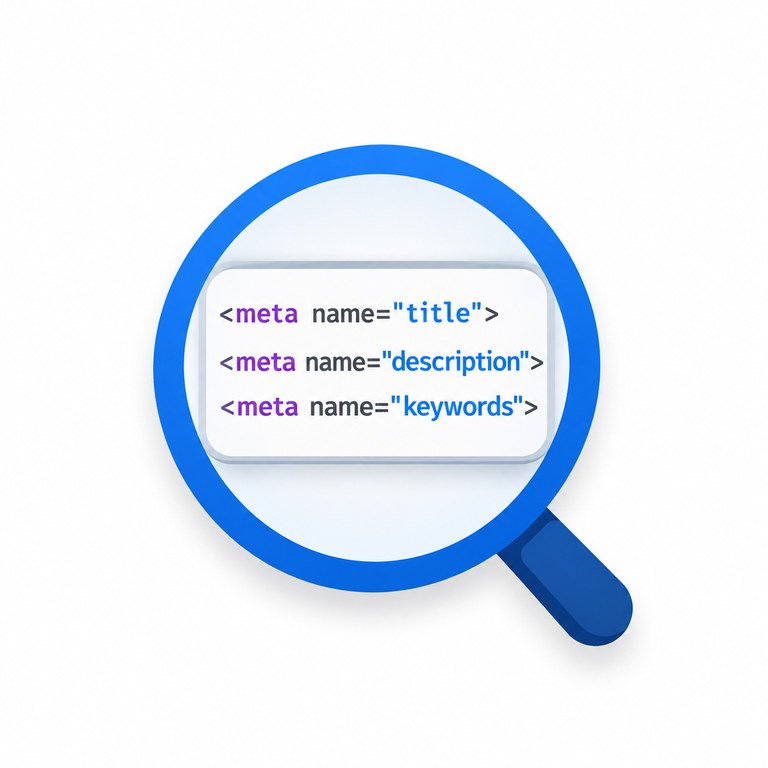
The HTML title element identifies a page in browser tabs and supplies an important source for Google’s clickable search title. An H1 heading is the visible main heading on the page. They can be similar without having to match word for word. A meta description is a short summary in the page’s HTML head; it is not normally displayed in the article body.
Google may use text from the title element, headings, other prominent page text, or links to build a title link. For the text beneath that link, Google primarily draws from page content and may use the meta description when it is a useful summary. Your metadata is a strong editorial suggestion, not an instruction controlling every search result.
Why Character Counts Cannot Guarantee Search Result Length
Characters are symbols in a string; pixels measure the space used to draw them. Eight lowercase i letters and eight uppercase W letters have equal character counts, yet the second string is much wider in common fonts. Spaces, punctuation, capitalization, bold emphasis, and non-Latin scripts further change displayed width.
Devices and search layouts add another variable. A desktop preview and a narrow phone screen do not offer identical room. Google says title links and snippets are truncated when needed, generally to fit device width. A Google Search Snippet Preview can support visual review, but no preview can guarantee future search-result appearance.
Suggested Character Ranges Are Editing Aids, Not Google Rules
The ranges below are illustrative working targets used in editorial workflows. Google does not publish them as minimums, maximums, or ranking factors. A shorter title can be ideal, and a longer description may still be acceptable if it accurately summarizes a complicated page.
| Field | Practical starting point | Better review question |
|---|---|---|
| SEO page title | About 50–60 characters | Does it describe this exact page clearly, with the key topic early? |
| Meta description | About 120–160 characters | Does it give a useful, accurate reason to visit the page? |
| Visible H1 heading | No special character target | Does it clearly identify what the visitor will learn or do? |
Do not remove meaningful words simply to satisfy a plugin’s colored indicator. Likewise, a title that fits a target range can still be vague or repetitive.
Count Draft Titles and Descriptions Before Publishing
- Write the title for the page’s purpose. Describe the specific question answered, tool provided, or product discussed before checking the number.
- Paste it into the Word and Character Counter. Record the character total, including spaces and punctuation, and shorten unnecessary wording.
- Count the meta description separately. Give readers a concise, truthful summary. Avoid repeating a keyword merely to increase its frequency.
- Preview the result. Check whether the essential words appear early in desktop and mobile mockups; treat simulated clipping as an estimate.
- Review the actual page. Confirm the title, H1, description, and body copy tell the same story rather than sending mixed signals.
The counter is useful for counting characters. It should not be confused with a verified pixel-width calculator or a live Google snippet emulator; use a separate preview for that step.
How to Write Titles That Stay Useful When Shortened
Start with the distinguishing topic or task. A title such as “Word and Character Counter for SEO Drafts” tells a visitor more than “Home | Free SEO Tools and Resources.” For articles, name the problem and the promised explanation. For products, lead with the identifying model or distinguishing feature that matters to the buyer.
Make titles unique across pages, and add the brand when it improves recognition rather than consuming the beginning of every title. Avoid repeating near-identical phrases, adding a long list of keywords, or promising an outcome the page cannot deliver. Google may produce a different title link when its systems consider another page element more suitable, so also keep the visible H1 descriptive and consistent.
Write Meta Descriptions for Decisions, Not for a Character Quota
A description should answer two questions quickly: What is this page about? and Why is it useful to me? A tool page can describe its actual task and the type of input involved. A how-to page can name the problem, explain the practical result, and mention a relevant condition or limitation.
Compare “SEO tools, meta tags, best SEO, title tags, free SEO” with “Learn how title and description lengths affect search previews, and check your draft text before publishing.” The second example communicates a concrete benefit instead of repeating related terms.
Google can show a query-dependent passage from the article instead of the meta description, even when your description is well written. That is normal behavior, not automatic evidence that the metadata is broken. Make sure the page itself contains a clear opening explanation because that text may also inform displayed snippets.
Common Metadata Mistakes Worth Fixing First
| What you notice | Likely editorial issue | Better action |
|---|---|---|
| Titles end with an ellipsis | Key words may be late in a long title | Move the unique topic forward and remove boilerplate |
| Google shows another title | Multiple page elements may supply title-link text | Compare the title element with the H1 and prominent headings |
| Description changes by query | Google selects context from the page | Check relevance and ensure on-page explanations are clear |
| Many pages share one description | Generic site-wide text replaces page-specific summaries | Write distinct descriptions for important pages |
| Plugin flags 161 characters | Heuristic threshold, not an official failure | Review readability and preview rather than blindly deleting words |
The Meta Tags Analyzer may help review metadata on individual pages. For new drafts, a Meta Tag Generator can support the writing workflow, but inspect the final HTML before publication.
Where to Set Metadata in WordPress
In WordPress, use the SEO settings for the relevant post or page, typically managed through a plugin such as Rank Math, to set its search title and meta description. The public H1 is often generated from the WordPress post title by the theme; check the actual rendered page rather than assuming the SEO title and H1 are identical.
After saving, inspect the rendered source to confirm that the intended title element and description tag are present. Avoid outputting conflicting title or description tags from multiple SEO plugins or theme settings. If you update a page, Google may need time to crawl and process it before its displayed title or snippet changes.
For bulk editing, maintain a simple sheet with URL, current title, title character count, description character count, and a brief note on the page’s intent. Work through the pages where inaccurate or duplicate metadata creates the most confusion, not merely the longest strings.
Questions Editors Ask About Title and Description Length
Is 60 characters the maximum for an SEO title?
No. Sixty characters is a common editorial heuristic. Google has no stated fixed length limit for the HTML title element; the displayed title link may be shortened to fit the available width.
Is a 160-character meta description too long?
Not necessarily. Google does not prescribe a maximum meta description length. The snippet may be cut to fit the device or replaced with relevant text from the page.
Do spaces count as characters?
Most character counters include spaces and punctuation, but tools can differ in how they count emojis or certain combined Unicode characters. Check the counting method if precision matters.
Does making metadata shorter improve rankings?
There is no general guarantee. Useful, accurate titles help search engines and people understand the page. Trimming a description to a preset length is not a substitute for page quality or search relevance.
Why does Google show words I did not put in the meta description?
Its systems generate snippets to suit the query and often use relevant page text instead of the supplied description. Review the passage and the searcher’s likely question before changing metadata.
Authoritative References
Google’s title-link documentation describes how title links are generated and why long titles may be shortened. Its snippet and meta description guidance explains query-dependent descriptions, no fixed metadata length limit, and device-dependent truncation. The numerical ranges in this article are editorial suggestions, not Google’s requirements.